From camera to encrypted vault: photos, video, and playback
Take photos and record video directly into Hidewell’s encrypted vault, then play them without an unencrypted copy ever being saved.
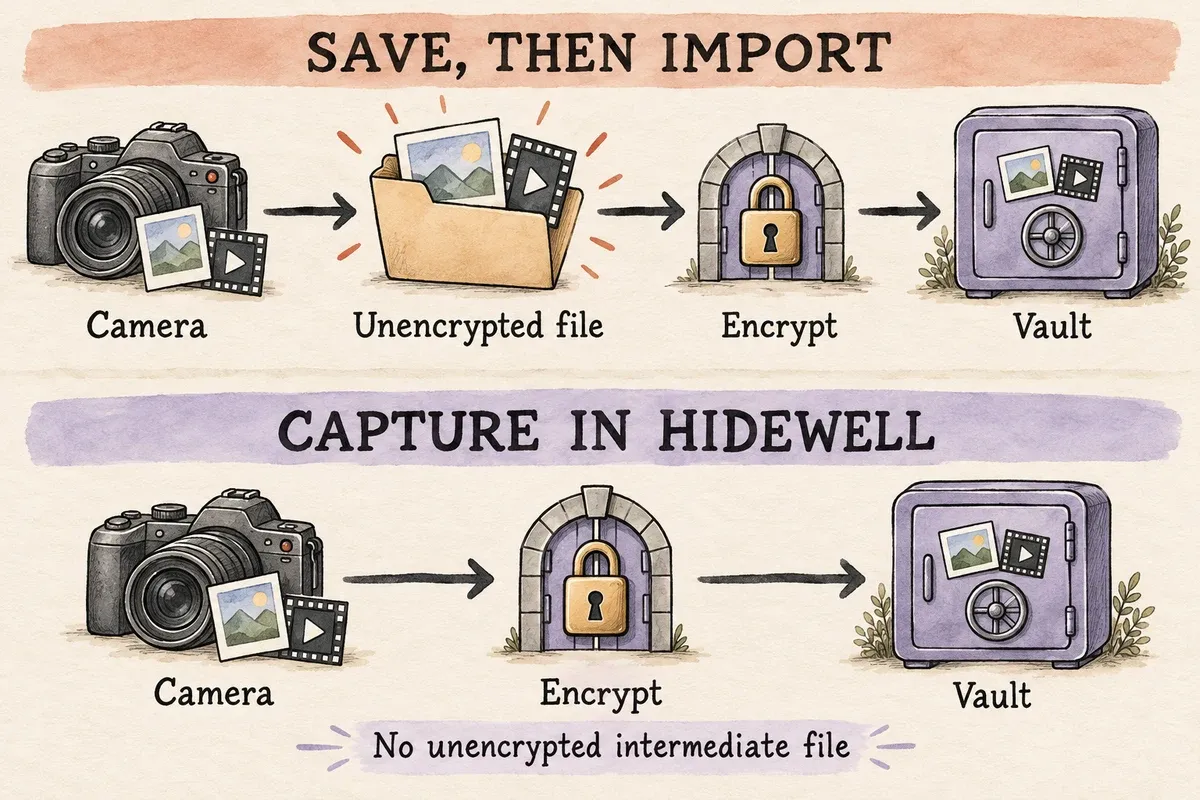
On iPhone and Android, use Hidewell’s built-in camera when you want a photo or video to stay out of your everyday gallery. It encrypts the media before it is saved, without first creating an unencrypted photo or video file. You can then view it directly inside the vault, without exporting a decrypted copy.
Why capture directly?
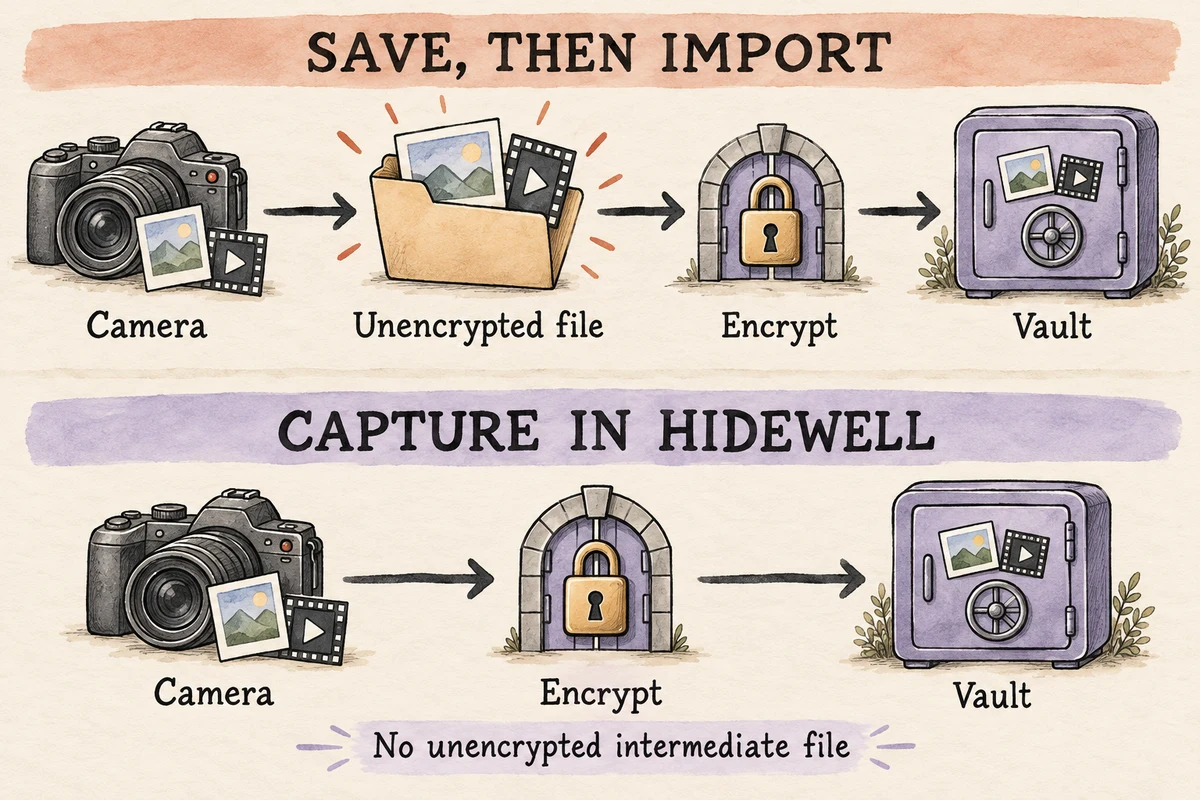
If you take a picture with your usual camera app and import it into a vault later, you have already created an original outside the vault. Encrypting the imported copy does not take care of that original.
Direct capture avoids that extra file and the cleanup it needs. It is useful for personal documents, private reference photos, and recordings you want to keep separate from your everyday collection.
See the two capture paths at full size.
Take a photo straight into the vault
In Photo mode, Hidewell sends the captured image directly to encryption and saves it in the vault. The small thumbnail used to find it in your collection is stored encrypted too. You can recognize and open the photo inside Hidewell without a matching image in your gallery.
Record video directly into encrypted storage
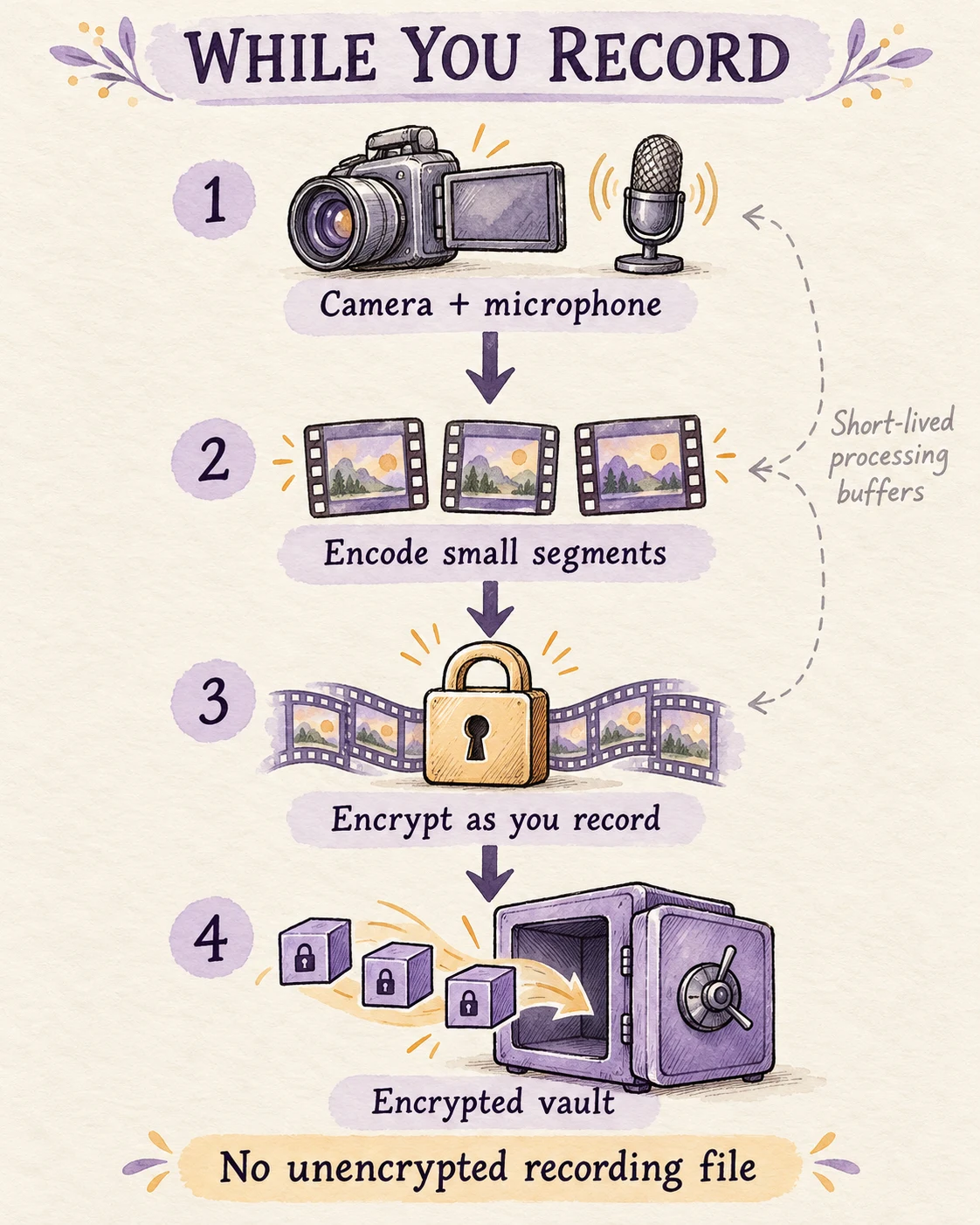
Video is encrypted while you record. The camera’s video and microphone audio are encoded in small portions and encrypted straight away. Only encrypted data is saved throughout the recording; there is no complete unencrypted movie file waiting to be encrypted when you press Stop.
Watch and seek directly from the vault
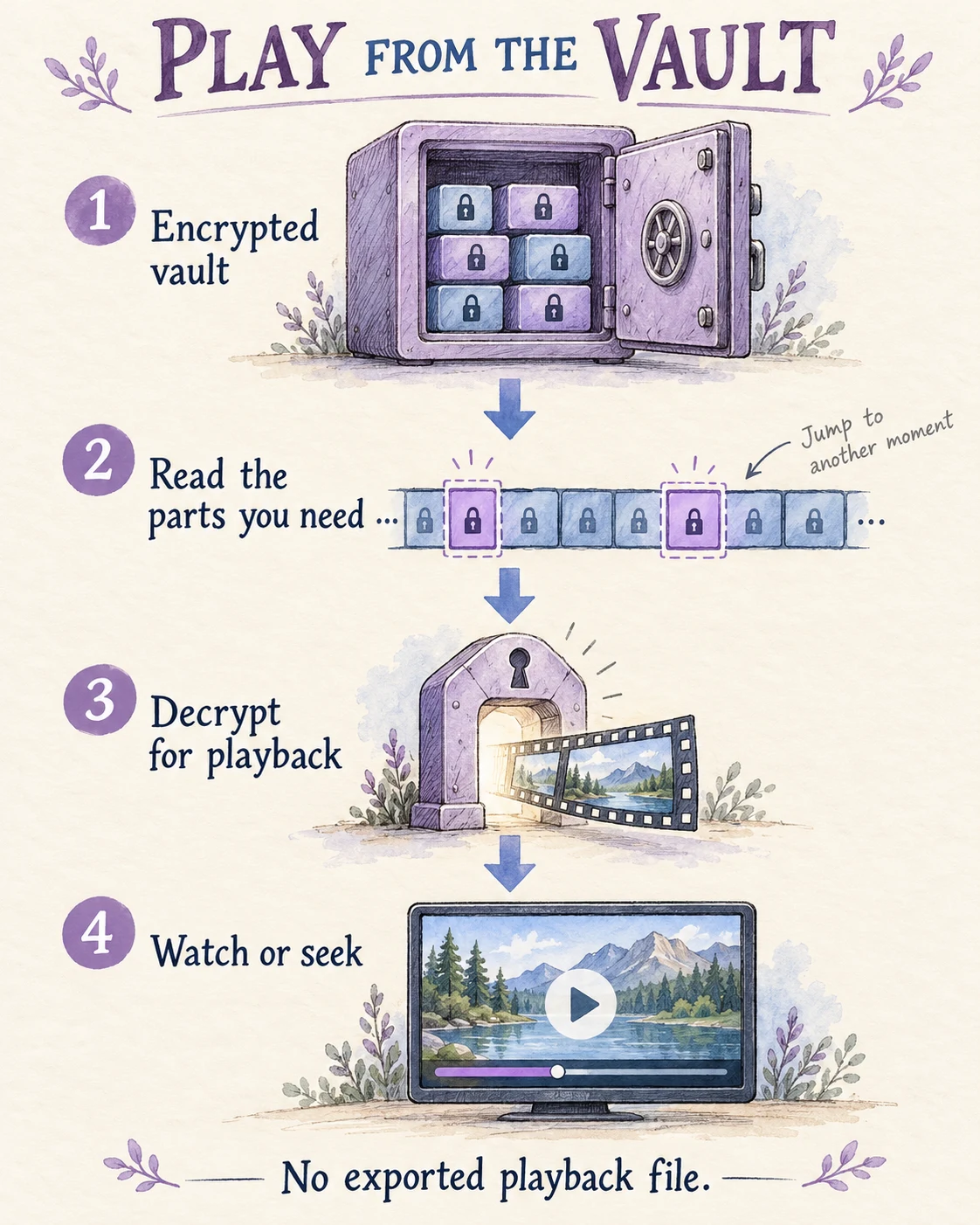
Open a video in Hidewell and the player reads and decrypts the portions it needs. Drag the playback control to another moment, and the vault supplies that part of the recording. You do not need to export the video or decrypt the whole file first.
Photos also open directly from vault data, without a saved, decrypted image file.
Use the camera on iPhone or Android
- Unlock your vault, tap +, and choose Camera. Allow camera and microphone access when asked.
- To take a photo, choose Photo and press the shutter.
- To record, choose Video and tap the recording button.
- Stop the recording when you are finished, then return to the vault. Open your saved item there to view the photo or play the video.
The camera is included within the free tier’s item allowance. Pro removes that item limit.
When you choose to share or export
Viewing stays inside the vault. Sharing or saving outside it deliberately makes an ordinary copy available elsewhere. Saving to your gallery creates a gallery copy; sharing may prepare a file for another app to read. Check the destination’s access and backup settings when you do this.
For older photos you import, check the originals separately. Depending on your settings, they may already have been uploaded by photo syncing or copied elsewhere. Apple explains automatic photo uploads; Google documents which copies a deletion reaches.
For your next private photo or video on iPhone or Android, start with Camera inside Hidewell.