
Hidewell Vault vs Encamera
Hidewell combines pattern-based vaults on Android, iPhone and iPad with device-bound key protection and a lower published lifetime price. Encamera offers Face ID, a private camera and iCloud storage on Apple devices. Both use authenticated encryption and memory-hard Argon2id; the important difference is how they protect and unlock the keys.
Encamera details as of October 23, 2026, from public pages and store listings by Encamera LLC (sources below).
Side by side
Feature comparison
Hidewell Vault 3
 Encamera 0
Feature tally Hidewell Vault
Get the app - Ahead:
- Behind:
- Even:
- Not comparable:
| Hidewell Vault |  Encamera | |
|---|---|---|
| Platforms | ||
| Account required | Even: No Hidewell account; platform account for cloud backup.[5] | Even: No Encamera account; Apple account for iCloud. [6] |
| Encryption of stored files | Even: AES-256-GCM authenticated encryption.[7] | |
| How the unlock secret becomes a key | ||
| Unlock methods | ||
| Multiple or decoy vaults | ||
| Backup | Even: Encrypted personal iCloud storage with Premium. [6] | |
| Sync between devices | Even: Yes. LiveSync keeps a vault up to date across your iPhone and iPad (iCloud) or Android devices (Google Drive).[1] | |
| Tracking and analytics | Ahead: No analytics or ad tracking.[5] | Behind: Anonymous Piwik usage analytics disclosed. [6] |
| Ads | Even: No ads.[5] | Even: No ads. [6] |
| In-app camera | Even: In-app photos and videos; free-plan limits apply.[2] | Even: Private camera, lock-screen widget and Live Photos. [3] |
| Source code | Even: Public encryption core.[7] | Even: Public file-handling and encryption core. [10] |
| Pricing | Even: Free; Pro $2.99/month, $19.99/year or $44.99 lifetime (USD).[1] |
Based on each app's official information.
Key differences
What sets them apart.
AES-256-GCM and XChaCha20-Poly1305 both protect your files
Hidewell uses AES-256-GCM; Encamera’s key-backup guide and public core use XChaCha20-Poly1305. Both combine encryption with tamper detection and use 256-bit keys. AES-GCM is widely standardized and can benefit from hardware acceleration. XChaCha20 is easier to use safely and performs well without AES hardware. Neither name alone establishes a stronger vault. Encamera’s privacy policy mentions AES-256 instead. [7][8][9][6][12]
Memory-hard key protection: the difference is the unlock path
Both apps use Argon2id, which makes guessing keys cost memory as well as computation. Hidewell applies at least 64 MiB after device-bound hardware operations on each allowed pattern attempt. That ties pattern guessing to the device’s security hardware, rather than just to a copied vault file. Encamera’s public code derives its file key from a recovery phrase with 64 MiB and two passes, stores keys through Keychain and checks the app PIN/password separately. Hidewell’s distinction is its hardware-bound pattern path; Argon2id is not exclusive to Hidewell, and AES itself is not memory-hard. [7][10][8][13]
A separate pattern or Face ID convenience
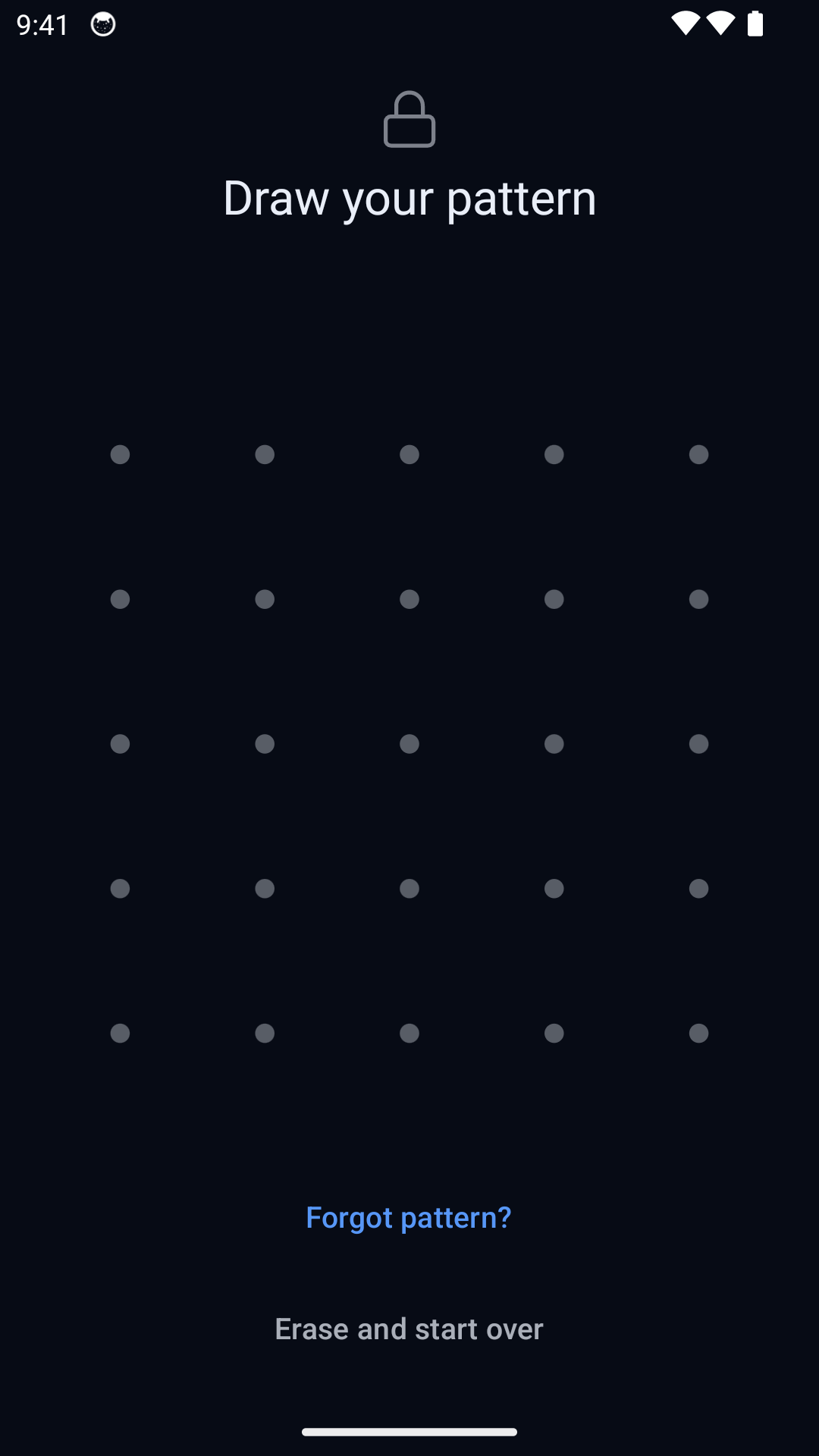
Hidewell opens separate vaults with separate patterns on Android, iPhone and iPad. Encamera offers Face ID, PIN or password, plus a quick-capture widget and Live Photos. Hidewell also offers a duress pattern that opens a decoy and removes the keys to other local vaults. That is destructive, and recovery depends on a usable backup and your recovery phrase. Encamera advertises albums and icon disguise, but does not document an equivalent panic action. [1][7][4][3]
Cloud choice and analytics matter too
Hidewell backs up encrypted data to Google Drive on Android or iCloud Drive on iPhone and iPad. Encamera offers encrypted iCloud storage with Premium. Backup is separate from sync: Hidewell’s LiveSync keeps a vault up to date across your iPhone and iPad through iCloud, or across Android devices through Google Drive. On privacy, Hidewell says it has no analytics or ad tracking. Encamera’s policy discloses anonymous Piwik usage analytics and RevenueCat purchase processing, which qualifies its broad no-tracking headline. Both policies say there are no ads. [5][6][4]
Published prices: the best value depends on the plan
Hidewell publishes a free plan and a paid plan at $2.99/month, $19.99/year or $44.99 lifetime. Encamera’s US listing has monthly products at $2.99 and $3.99, annual products at $17.99 and $19.99, Limited Lifetime at $49.99 and Lifetime at $99.99. Hidewell matches the lowest listed monthly price and costs $5 less than Limited Lifetime; Encamera’s lowest listed annual price is $2 less. Limited Lifetime includes existing features and new features from the first year permanently; later additions may cost extra. Because the listing does not specify offer eligibility, these are published-price comparisons, not guaranteed checkout prices for every user or region. [1][3][11]
Platforms
Hidewell Vault. Hidewell has broader phone and tablet platform coverage: Android alongside iPhone and iPad. Encamera is limited to Apple devices.[1][2]
Encamera. The App Store lists iPhone and iPad. Apple Vision is also listed. Its official sources list no Android release.[3][4]
Account required
Hidewell Vault. Local use does not require a Hidewell account. Optional Google Drive backup on Android requires Google authorization; iCloud Drive backup on iPhone and iPad uses your Apple account.[5]
Encamera. No Encamera account required. Optional iCloud storage uses your Apple account.[6]
Encryption of stored files
Hidewell Vault. AES-256-GCM protects file contents and detects tampering. It uses a 256-bit key and a 128-bit authentication tag.[7]
Encamera. The key-backup guide and public file-encryption code use XChaCha20-Poly1305, also with a 256-bit key and a 128-bit authentication tag. The privacy policy’s AES-256 description conflicts with those sources.[8][9][6]
How the unlock secret becomes a key
Hidewell Vault. Hidewell adds device-bound hardware operations before Argon2id on each allowed pattern attempt, with at least 64 MiB of memory. Android uses hardware-backed Keystore; iPhone and iPad use Secure Enclave. That ties pattern guessing to the device’s secure hardware.[7][1]
Encamera. The public core derives file keys from the key phrase using Argon2id with 64 MiB and two passes, without a device-bound hardware operation in that derivation. Keychain protects stored keys, and a separate Argon2 hash checks the PIN/password. This is different from binding key derivation itself to device hardware.[8][10]
Unlock methods
Hidewell Vault. A separate drawn pattern opens the vault; there is no biometric shortcut. The recovery phrase provides a separate recovery route.[1][7]
Encamera. Face ID and PIN are listed in the App Store, and the website also offers password access. The choice is convenience and unlock workflow, not a cipher-strength ranking.[3][4]
Multiple or decoy vaults
Hidewell Vault. Additional pattern-based vaults and a duress pattern that opens a decoy. Using that pattern removes other local vault keys.[1][7]
Encamera. Albums and icon disguise are advertised. A destructive duress-pattern decoy is not documented.[3][4]
Backup
Hidewell Vault. Optional backups are encrypted and stored in your Google Drive on Android or iCloud Drive on iPhone and iPad. Recovery uses your 12-word recovery phrase; keep it separately. Backup and live sync are separate functions.[5][7]
Encamera. Local storage by default; personal iCloud storage is a Premium feature.[6]
Sync between devices
Hidewell Vault. LiveSync keeps a vault up to date across your iPhone and iPad through iCloud, or across Android devices through Google Drive. Encrypted backup is a separate feature.[1]
Encamera. Premium advertises access to encrypted albums through iCloud across Apple devices. This is the developer’s stated capability, not a measured sync-performance result.[3][4]
Tracking and analytics
Hidewell Vault. Policy says no analytics or ad tracking. Purchases and optional cloud backup use platform services.[5]
Encamera. Policy discloses anonymous Piwik usage analytics and RevenueCat purchase processing, despite “no tracking” marketing.[6]
Ads
Hidewell Vault. No ads, on any plan.[5]
Encamera. No advertisements, according to the developer’s policy.[6]
In-app camera
Hidewell Vault. Both apps capture photos and videos into the vault. The free-plan item limit also applies to capture and import.[2]
Encamera. Private camera, lock-screen capture widget and Live Photos listed as basic features.[3]
Source code
Hidewell Vault. The encryption core is public. Public source enables inspection; it does not by itself establish an independent audit.[7]
Encamera. EncameraCore publishes file handling and encryption. Neither core repository represents the complete native app.[10]
Pricing
Hidewell Vault. Published USD rates: free, Pro $2.99/month, $19.99/year or $44.99 lifetime. Hidewell matches Encamera’s lowest listed monthly price and has a lower lifetime price; Encamera lists a lower annual price.[1]
Encamera. The US listing names Premium Monthly ($2.99), 1 Month ($3.99), Premium Yearly ($17.99), 12 Months ($19.99), 1 Week ($1.99), Limited Lifetime ($49.99) and Lifetime ($99.99). Eligibility is not specified. Limited Lifetime retains included features and one year of new features permanently; later additions may cost extra.[3][11]
Hidewell Vault
Consider Hidewell for device-bound pattern protection on Android, iPhone or iPad, decoy controls and a lower published lifetime price.
Encamera
Consider Encamera if you use iPhone or iPad and value Face ID, quick camera access, Live Photos and paid iCloud storage. Review its analytics disclosure and the specific offer shown to you.
FAQ
Hidewell Vault vs Encamera: your questions answered.
How much does Hidewell cost compared with Encamera?
Hidewell is free, with a paid plan at $2.99/month, $19.99/year or $44.99 lifetime (USD). Encamera lists $2.99–3.99/month, $17.99–19.99/year, Limited Lifetime at $49.99 and Lifetime at $99.99. Hidewell has a lower lifetime price; Encamera lists a lower annual price, and their lowest monthly prices match. Offer eligibility can vary.
Is Encamera an Android alternative to Hidewell?
Encamera’s official sources list no Android release. Its listing is for Apple devices. Hidewell supports Android, iPhone and iPad.
Is Encamera’s whole app open source?
The public EncameraCore repository describes itself as the file-handling portion of the app. It exposes useful encryption code, but does not establish that the entire shipping app is public or independently audited.
Which app is more secure?
Both use authenticated encryption and memory-hard Argon2id. Hidewell adds device-bound hardware operations to its pattern-derived unlock key; Encamera uses a phrase-derived file key with a separate Face ID/PIN/password access flow. Those are meaningful design differences, but they do not establish an overall security winner.
Sources
- https://hidewell.app/
- https://play.google.com/store/apps/details?id=com.sentrybrain.hidewell&hl=en_US
- https://apps.apple.com/us/app/encamera-encrypted-photo-vault/id1639202616
- https://www.encamera.app/
- https://hidewell.app/privacy/
- https://www.encamera.app/legal/privacy-policy
- https://github.com/hidewell-oss/hidewell-core
- https://www.encamera.app/blog/back-up-your-key-phrase
- https://github.com/Encamera/EncameraCore/blob/95802ef9761655ccc825bba91b9ebee4186ef70b/Sources/EncameraCore/Utils/IO/SecretFileHandlerV2.swift
- https://github.com/Encamera/EncameraCore
- https://www.encamera.app/blog/return-to-lifetime
- https://doc.libsodium.org/secret-key_cryptography/aead
- https://www.rfc-editor.org/rfc/rfc9106.html
Updated 23 October 2026. Encamera: US App Store version 2.10.0 and public EncameraCore code. USD prices are the published Hidewell rates and listed Encamera products; regional prices and offer eligibility can differ. Encamera’s policy names AES-256, while its key-backup guide and public code specify XChaCha20-Poly1305.
Prefer a separate pattern for your vault? Explore Hidewell’s approach before choosing.
Explore HidewellMore comparisons
- Hidewell Vault vs Apple Photos Hidden album
- Hidewell Vault vs iPhone app lock
- Hidewell Vault vs Apple Notes locked notes
- Hidewell Vault vs Private Photo Vault
- Hidewell Vault vs Vaultaire
- Hidewell Vault vs Calculator#
- Hidewell Vault vs Obscura Photo Vault
- Hidewell Vault vs Inner Gallery
- Hidewell Vault vs HiddenVault
- Hidewell Vault vs Google Photos Locked Folder
- Hidewell Vault vs Samsung Secure Folder
- Hidewell Vault vs Keepsafe
- Hidewell Vault vs Privault
- Hidewell Vault vs PV – Secret Photo Album
- Hidewell Vault vs Secret Photo Album - SA
- Hidewell Vault vs Hide it Pro
- Hidewell Vault vs Safe Lock
- Hidewell Vault vs Vaulty
- Hidewell Vault vs SPV
- Hidewell Vault vs Secret Photo Vault