
Hidewell Vault vs Secret Photo Album - SA
Hidewell gives you device-bound patterns, a public encryption design and private storage without ads or tracking on iPhone, iPad and Android. Secret Album by BPMobile focuses on Apple devices, with Face ID, decoy PINs, a private browser and a cloud subscription. Choose around the protection and everyday tools you need.
Side by side
Feature comparison
Hidewell Vault 7
 Secret Photo Album - SA 0
Feature advantages Hidewell Vault
Get the app - Ahead:
- Behind:
- Even:
- Not documented:
| Hidewell Vault |  Secret Photo Album - SA | |
|---|---|---|
| Platforms | Ahead: iPhone, iPad and Android.[1] | |
| Account required | Ahead: No Hidewell account; cloud features use your Apple or Google account.[1] | |
| Encryption transparency | Ahead: AES-256-GCM; the encryption design is public.[5] | |
| Protection against pattern or passcode guessing | Ahead: Your phone’s security chip, then Argon2id to slow guessing.[5] | |
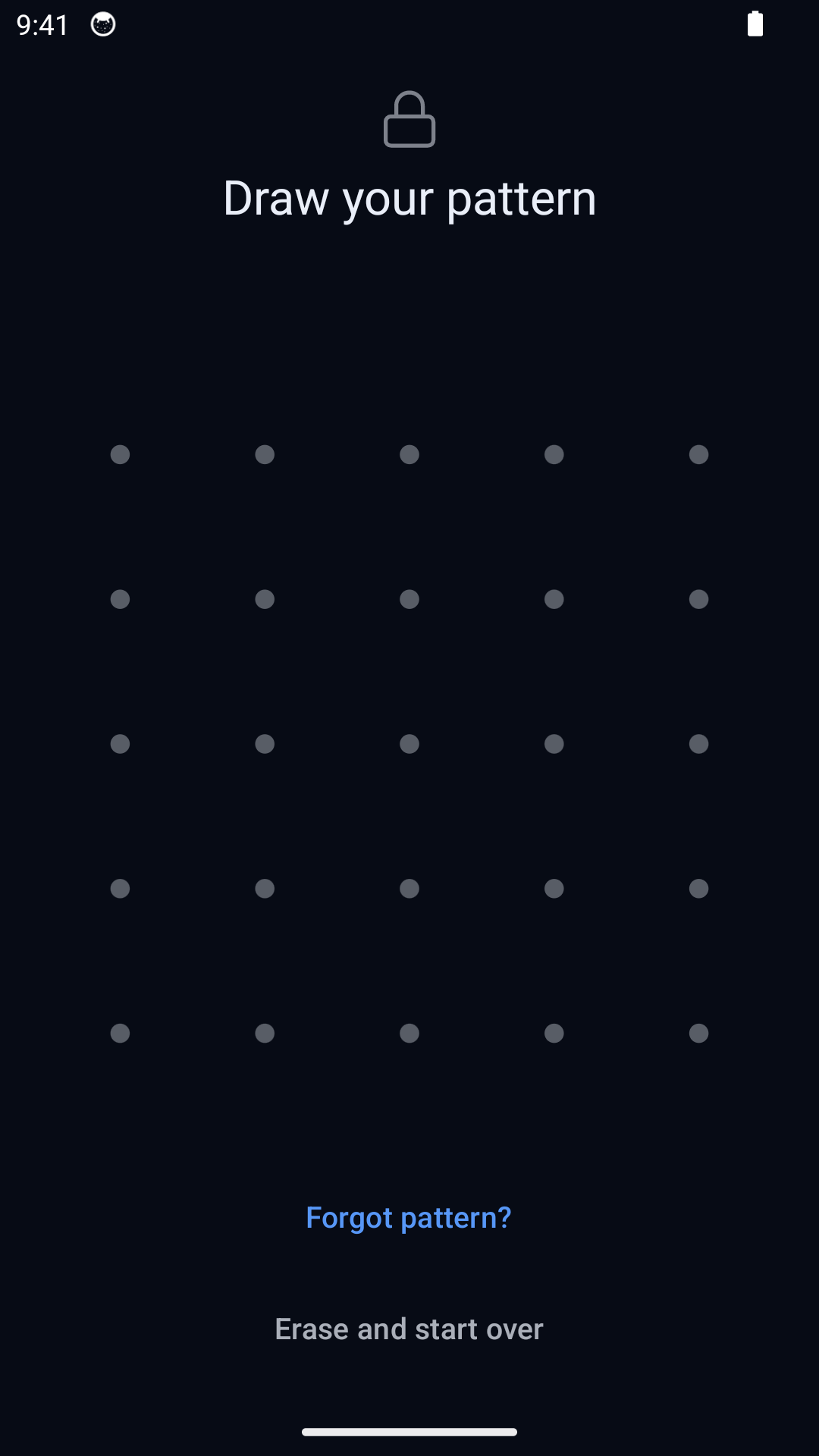
| Everyday unlock | Even: Pattern only, run through your phone's security chip. No biometric shortcut, by design[5] | Even: PIN, Face ID or Touch ID. [2] |
| Separate everyday spaces | Even: Different patterns open separate vaults; optional duress pattern.[5] | |
| Backup encryption and recovery | ||
| Sync between devices | Even: Premium cloud sync between devices, registered to your email. [2] | |
| Tracking and analytics | Ahead: No analytics or ad tracking.[1] | |
| Ads | Ahead: No ads, including on the free plan.[1] | Not documented: Policy allows in-app advertising; ad-free options not documented. [4] |
| In-app camera | ||
| Source code | Ahead: Open-source encryption core.[5] | |
| Free and paid options | Even: Free; Pro $2.99/month, $19.99/year or $44.99 lifetime (USD).[1] |
Based on each app's official information.
Key differences
What sets them apart.
Know what protects your photos
Hidewell publishes its encryption design: AES-256-GCM encrypts files and detects tampering. Each pattern passes through your phone’s security chip, then Argon2id makes guessing consume time and memory. Secret Album says it encrypts local and cloud storage, but does not name its algorithms or explain how a PIN becomes a key. Hidewell’s advantage here is a security design you can inspect. [5][2][3]
One pattern, one private space
Different Hidewell patterns open different vaults, with no vault list on the normal unlock screen. Secret Album offers a decoy PIN and individual album PINs, plus Face ID or Touch ID for convenience. Hidewell’s optional duress pattern serves a different purpose: it opens a decoy and destroys access to other local vaults. Normal vault patterns leave the others intact. [5][2][3]
Keep control of recovery
Hidewell encrypts backups before they reach your iCloud Drive or Google Drive. Your 12-word recovery phrase controls restoration; the cloud account alone cannot decrypt them. Keep that phrase safe. Secret Album offers unlimited cloud storage with Premium and email-based access after a lost or broken device. Its policy describes local or iCloud storage for free use and possible Amazon Web Services storage for paid subscriptions. Control of its recovery keys is not documented. [5][2][4]
Privacy beyond the photo lock
Hidewell has no ads, ad tracking or analytics, including on its free plan. Secret Album’s developer discloses tracking across other companies’ apps and websites and analytics linked to you. Its browser ad blocker is useful for browsing; it does not mean the app itself is free of advertising or tracking. [1][2][4]
Choose the tools you will actually use
Hidewell works on iPhone, iPad and Android, with a camera that saves photos and videos directly into the encrypted vault. The free plan includes one vault, up to 200 items, and encrypted backup and restore. Secret Album is an Apple app with a private browser, ad blocker, break-in photos and individual album PINs. Those extras may suit you if browsing and quick biometric access are your priorities. [1][2][3]
Sync between devices
Hidewell Vault. LiveSync keeps a vault up to date across iPhone and iPad through iCloud, or across Android devices through Google Drive. It uses your own cloud storage and does not sync between iPhone and Android.[6][7]
Secret Photo Album - SA. Premium includes cloud storage and sync through an email account. That subscription bundles storage; Hidewell uses the space in your own Apple or Google account.[2]
Free and paid options
Hidewell Vault. Start free, then choose monthly, yearly or lifetime access. The $44.99 lifetime option is a one-time payment (USD). Cloud storage comes from your own account.[1]
Secret Photo Album - SA. The US store lists Premium at $1.99, $2.99 (two entries), $6.99, $19.99 and $49.99; Secret Album Premium at $9.99, $39.99 and $51.99; and Secret Calculator Photo Vault at $9.99 (USD). Billing periods and offer eligibility are not shown. Check the period and renewal price on the purchase screen before comparing costs.[2][8]
Hidewell Vault
Choose Hidewell for device-bound patterns, separate vaults, recovery controlled by your phrase, and an open-source encryption core. It covers iPhone, iPad and Android, with no ads or tracking and a lifetime purchase option.
Secret Photo Album - SA
Choose Secret Album if you use Apple devices and want a private browser, Face ID or Touch ID, individual album PINs and cloud storage bundled into a subscription. Check the renewal period and the developer’s data disclosures.
FAQ
Hidewell Vault vs Secret Photo Album - SA: your questions answered.
Which Secret Photo Album is compared here?
Secret Photo Album - SA by BPMobile, sold by BP Mobile LLC on the App Store. It is a different app from PV – Secret Photo Album by Haibin Jiao and other similarly named vaults.
Does Secret Album encrypt photos?
The developer says it encrypts local and cloud storage. Its cipher, authentication scheme and PIN-to-key method are not documented. Hidewell publishes its AES-256-GCM design and combines your phone’s security chip with Argon2id to slow pattern guessing.
Is Hidewell cheaper than Secret Album?
Hidewell is free, with paid options at $2.99/month, $19.99/year or $44.99 lifetime (USD). Secret Album lists purchases from $1.99 to $51.99 in the US App Store without their billing periods. Match the period and included storage before comparing costs.
Does Hidewell need Face ID or Touch ID?
No. Hidewell deliberately uses patterns so different patterns can open different vaults. Each pattern runs through your phone’s security chip. Secret Album offers biometric access if that convenience is your priority.
Sources
- https://hidewell.app/
- https://apps.apple.com/us/app/secret-photo-album-sa/id1174964304
- https://bpmobile.com/apps/secretalbum
- https://bpmob.com/salbumfree/privacy/
- https://github.com/hidewell-oss/hidewell-core
- https://apps.apple.com/us/app/hidewell-private-photo-vault/id6824920124
- https://play.google.com/store/apps/details?id=com.sentrybrain.hidewell&hl=en_US
- https://bpmob.com/salbumfree/terms/
Updated 29 October 2026. Secret Album prices are from the US App Store. All prices are USD.
Start with Hidewell’s free vault and keep your private files under your control.
Explore HidewellMore comparisons
- Hidewell Vault vs Apple Photos Hidden album
- Hidewell Vault vs iPhone app lock
- Hidewell Vault vs Apple Notes locked notes
- Hidewell Vault vs Private Photo Vault
- Hidewell Vault vs Vaultaire
- Hidewell Vault vs Calculator#
- Hidewell Vault vs Encamera
- Hidewell Vault vs Obscura Photo Vault
- Hidewell Vault vs Inner Gallery
- Hidewell Vault vs HiddenVault
- Hidewell Vault vs Google Photos Locked Folder
- Hidewell Vault vs Samsung Secure Folder
- Hidewell Vault vs Keepsafe
- Hidewell Vault vs Privault
- Hidewell Vault vs PV – Secret Photo Album
- Hidewell Vault vs Hide it Pro
- Hidewell Vault vs Safe Lock
- Hidewell Vault vs Vaulty
- Hidewell Vault vs SPV
- Hidewell Vault vs Secret Photo Vault