
Hidewell Vault vs Inner Gallery
Hidewell uses a separate pattern and your device’s security hardware on Android, iPhone and iPad. Inner Gallery combines PIN or biometric unlock with optional encrypted iCloud sync on iPhone and iPad. Here is how their everyday access, recovery, decoys and prices compare.
Inner Gallery details as of November 14, 2026, from public pages and store listings by Jungle Labs (sources below).
Side by side
Feature comparison
Hidewell Vault 4
 Inner Gallery 0
Feature tally Hidewell Vault
Get the app - Ahead:
- Behind:
- Even:
- Not documented:
| Hidewell Vault |  Inner Gallery | |
|---|---|---|
| Phone and tablet support | Ahead: Android, iPhone and iPad.[1] | Behind: iPhone and iPad. [2] |
| Account required | Even: No Hidewell account; cloud backup uses your platform account.[3] | |
| Encryption of stored files | Even: AES-256-GCM.[6] | |
| How the unlock secret becomes a key | Ahead: Device security hardware, then Argon2id (at least 64 MiB).[6] | |
| Unlock methods | Even: Pattern only, run through your phone's security chip. No biometric shortcut, by design[6] | |
| Multiple or decoy vaults | Even: Separate vaults and a destructive duress-pattern decoy.[6] | |
| Backup | Even: Encrypted iCloud or Google Drive backup; 12-word recovery phrase.[3] | |
| Sync between devices | Even: Yes. LiveSync keeps a vault up to date across your iPhone and iPad (iCloud) or Android devices (Google Drive).[1] | |
| Tracking and analytics | Even: No analytics or ad tracking.[3] | Even: No analytics or tracking, per privacy policy. [4] |
| Ads | Even: No ads.[3] | |
| In-app camera | Ahead: Photo and video camera; free-plan item limit.[12] | Behind: No built-in camera. [10] |
| Source code | Ahead: Public encryption core.[6] | |
| Pricing | Even: Free; Pro $2.99/month, $19.99/year or $44.99 lifetime (USD).[1] |
Based on each app's official information.
Key differences
What sets them apart.
A pattern, or biometric convenience
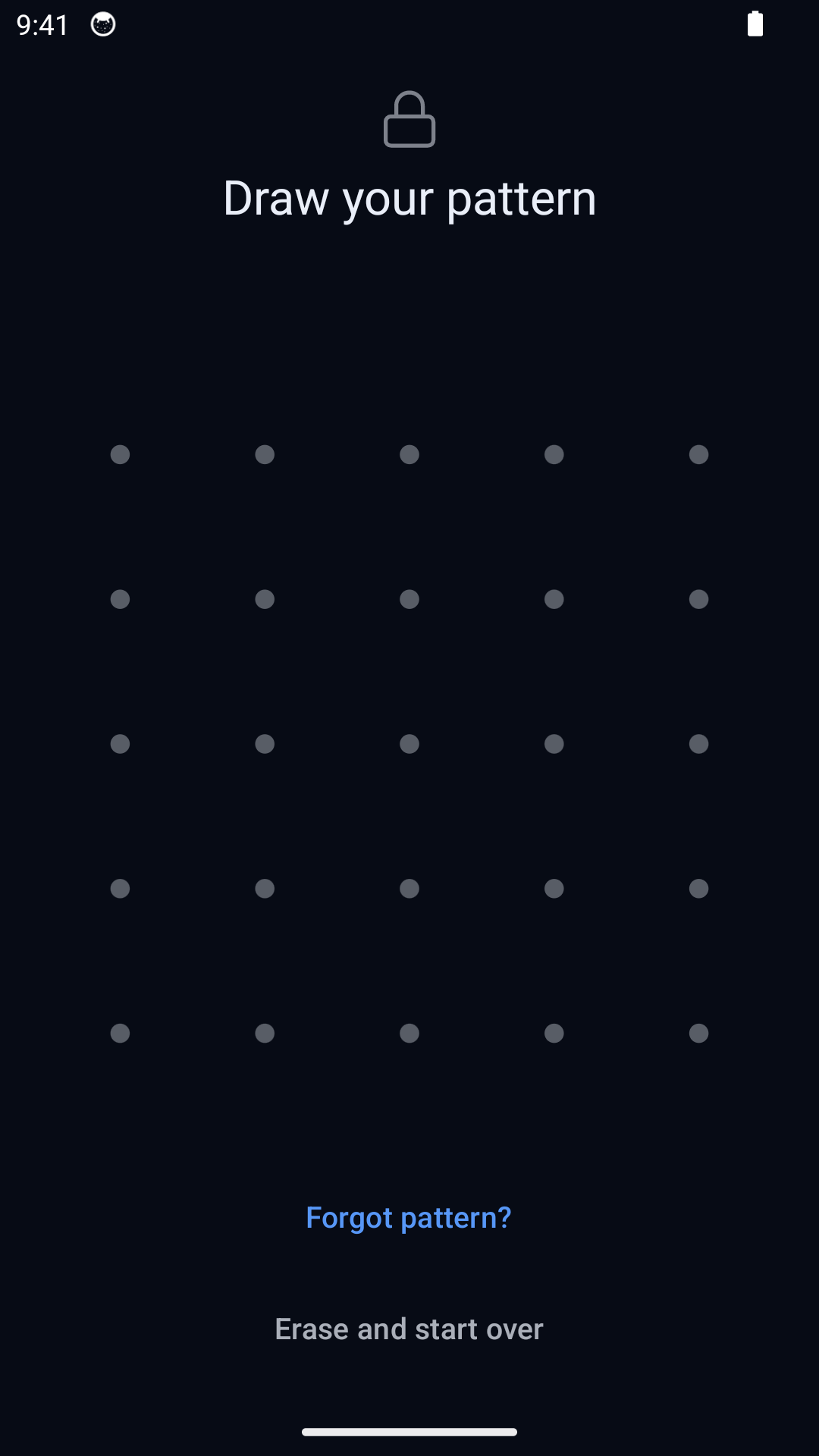
Different Hidewell patterns open different vaults, without a biometric shortcut. Inner Gallery offers PIN, Face ID and Touch ID for quick access. Both encrypt stored media and detect tampering: Hidewell uses AES-256-GCM and Inner Gallery uses ChaCha20-Poly1305. [6][10][7]
Two different ways to use a decoy
Hidewell’s duress pattern opens a decoy and removes the keys to the other vaults on that phone. Restoring those vaults requires your recovery phrase and a usable backup. Inner Gallery’s paid Panic PIN opens a separate, usable decoy while leaving the real spaces intact. Choose the behavior you intend: hiding the main gallery and destroying local access are different actions. [1][6][11][2]
Keep a way back to your photos
Hidewell’s optional encrypted backup uses Google Drive on Android and iCloud Drive on iPhone and iPad. Keep the 12-word recovery phrase separately; a new device needs it and a usable backup. Inner Gallery offers encrypted ZIP export and restore, plus optional end-to-end encrypted iCloud sync with PIN-based device pairing. Panic spaces never sync. Keep its PIN safe: the developer provides no PIN recovery. [3][6][2][4][5]
Capture privately, or organize an Apple gallery
Hidewell includes a photo and video camera that saves into the vault, without adding the capture to your phone’s photo library. Inner Gallery focuses on imports, Live Photos, an EXIF/GPS information panel and metadata removal when sharing. It has no built-in camera. Its USB, Files and locked-app share imports are encrypted on the next unlock, so open the app to finish the import. [12][10][2]
Phone and tablet support
Inner Gallery. Inner Gallery advertises a Mac app with iCloud sync. If Mac access matters to you, check availability in the Mac App Store before buying.[2]
How the unlock secret becomes a key
Hidewell Vault. Each pattern guess must pass through your phone’s security chip, then Argon2id with at least 64 MiB of memory. This ties normal pattern unlock to the device and makes guessing require memory as well as processing time.[6]
Inner Gallery. Inner Gallery derives keys from your PIN using PBKDF2. Its product blog lists 100,000 iterations and its developer’s architecture post lists 600,000, so the current count is unclear. Its PIN hashes also have hardware-backed protection in the iOS Keychain.[8][9][4]
Pricing
Hidewell Vault. Free includes one vault and up to 200 items. Paid plans remove that item limit and add more vaults, decoys, alternate icons and LiveSync: $2.99/month, $19.99/year or $44.99 lifetime (USD).[1]
Inner Gallery. Free includes two spaces and 50 media items. All paid options are one-time USD purchases: Space Pack $9.99, Media Pack $9.99, Panic PIN $9.99, Cloud Sync $14.99, App Icons $4.99, Pro Bundle $34.99 and Lifetime $99.99. Pro Bundle includes unlimited spaces and media, Panic PIN and Cloud Sync. Lifetime also includes App Icons. Individual packs let you pay only for the features you need.[10][2]
Hidewell Vault
Choose Hidewell for Android as well as iPhone and iPad, device-bound pattern unlock, an in-app camera and a separate recovery phrase. Its free plan holds up to 200 items.
Inner Gallery
Choose Inner Gallery for an Apple-only setup with biometric unlock, optional iCloud sync, non-destructive decoys and one-time feature packs. Its $34.99 Pro Bundle (USD) costs less than Hidewell’s lifetime plan.
FAQ
Hidewell Vault vs Inner Gallery: your questions answered.
Does Inner Gallery work on Android?
On phones and tablets, Inner Gallery supports iPhone and iPad. No Android version is listed. Hidewell supports all three.
Does Inner Gallery require a subscription?
No. It has a free plan and one-time purchases, including individual feature packs, Pro Bundle and Lifetime. The full set of USD prices is listed above.
Will a duress or panic code delete my photos?
Inner Gallery’s Panic PIN leaves your real spaces intact. Hidewell’s duress pattern destroys access to the other local vaults on that phone; recovery needs your recovery phrase and a usable backup. These actions are deliberately different.
Can I use either app without a cloud account?
Yes, for local vault storage. Optional cloud features use your own Google or Apple account. Neither app requires an account with its developer.
Sources
- https://hidewell.app/
- https://apps.apple.com/us/app/inner-gallery-photo-vault/id6759598232
- https://hidewell.app/privacy/
- https://innergallery.app/privacy/
- https://innergallery.app/blog/why-inner-gallery-no-server/
- https://github.com/hidewell-oss/hidewell-core
- https://innergallery.app/blog/photo-encryption-explained/
- https://innergallery.app/blog/best-photo-vault-apps-iphone/
- https://jungle-labs.co/en/blog/panic-pin-plausible-deniability/
- https://innergallery.app/
- https://innergallery.app/blog/what-is-panic-pin-photo-vault/
- https://play.google.com/store/apps/details?id=com.sentrybrain.hidewell&hl=en_US
Updated 14 November 2026. Inner Gallery 1.4.0, US App Store. All prices are USD.
Explore Hidewell’s pattern protection and free plan.
Explore HidewellMore comparisons
- Hidewell Vault vs Apple Photos Hidden album
- Hidewell Vault vs iPhone app lock
- Hidewell Vault vs Apple Notes locked notes
- Hidewell Vault vs Private Photo Vault
- Hidewell Vault vs Vaultaire
- Hidewell Vault vs Calculator#
- Hidewell Vault vs Encamera
- Hidewell Vault vs Obscura Photo Vault
- Hidewell Vault vs HiddenVault
- Hidewell Vault vs Google Photos Locked Folder
- Hidewell Vault vs Samsung Secure Folder
- Hidewell Vault vs Keepsafe
- Hidewell Vault vs Privault
- Hidewell Vault vs PV – Secret Photo Album
- Hidewell Vault vs Secret Photo Album - SA
- Hidewell Vault vs Hide it Pro
- Hidewell Vault vs Safe Lock
- Hidewell Vault vs Vaulty
- Hidewell Vault vs SPV
- Hidewell Vault vs Secret Photo Vault