
Hidewell Vault vs Obscura Photo Vault
Hidewell ties pattern unlock to your phone’s security hardware and keeps vaults up to date with LiveSync. Obscura combines password or biometric access with photo and document tools. Both support Android, iPhone and iPad, publish encryption code and offer encrypted backups.
Obscura Photo Vault details as of November 9, 2026, from public pages and store listings by Orlio Inc (sources below).
Side by side
Feature comparison
Hidewell Vault 3
 Obscura Photo Vault 0
Feature tally Hidewell Vault
Get the app - Ahead:
- Behind:
- Even:
- Not documented:
| Hidewell Vault |  Obscura Photo Vault | |
|---|---|---|
| Platforms | ||
| Account required | Even: No Hidewell account; platform account for cloud backup.[5] | Even: No Obscura account. [6] |
| Stored-file encryption and integrity | Ahead: AES-256-GCM; authenticated file and position.[7] | |
| Hardware-bound key derivation | ||
| Unlock methods | ||
| Multiple or decoy vaults | ||
| Backup | ||
| Sync between devices | Ahead: LiveSync: iPhone/iPad via iCloud; Android via Google Drive.[1] | |
| Tracking and analytics | Even: No analytics or ad tracking.[5] | Even: No analytics or tracking, per policy. [6] |
| Ads | Even: No ads.[5] | Even: No ads, per its policy. [6] |
| In-app camera | Even: In-app photos and videos; free-plan limits apply.[2] | |
| Source code | Even: Public encryption core.[7] | Even: Public encryption and file-format package. [10] |
| Pricing | Even: Free; Pro $2.99/month, $19.99/year or $44.99 lifetime (USD).[1] |
Based on each app's official information.
Key differences
What sets them apart.
Your pattern depends on your phone
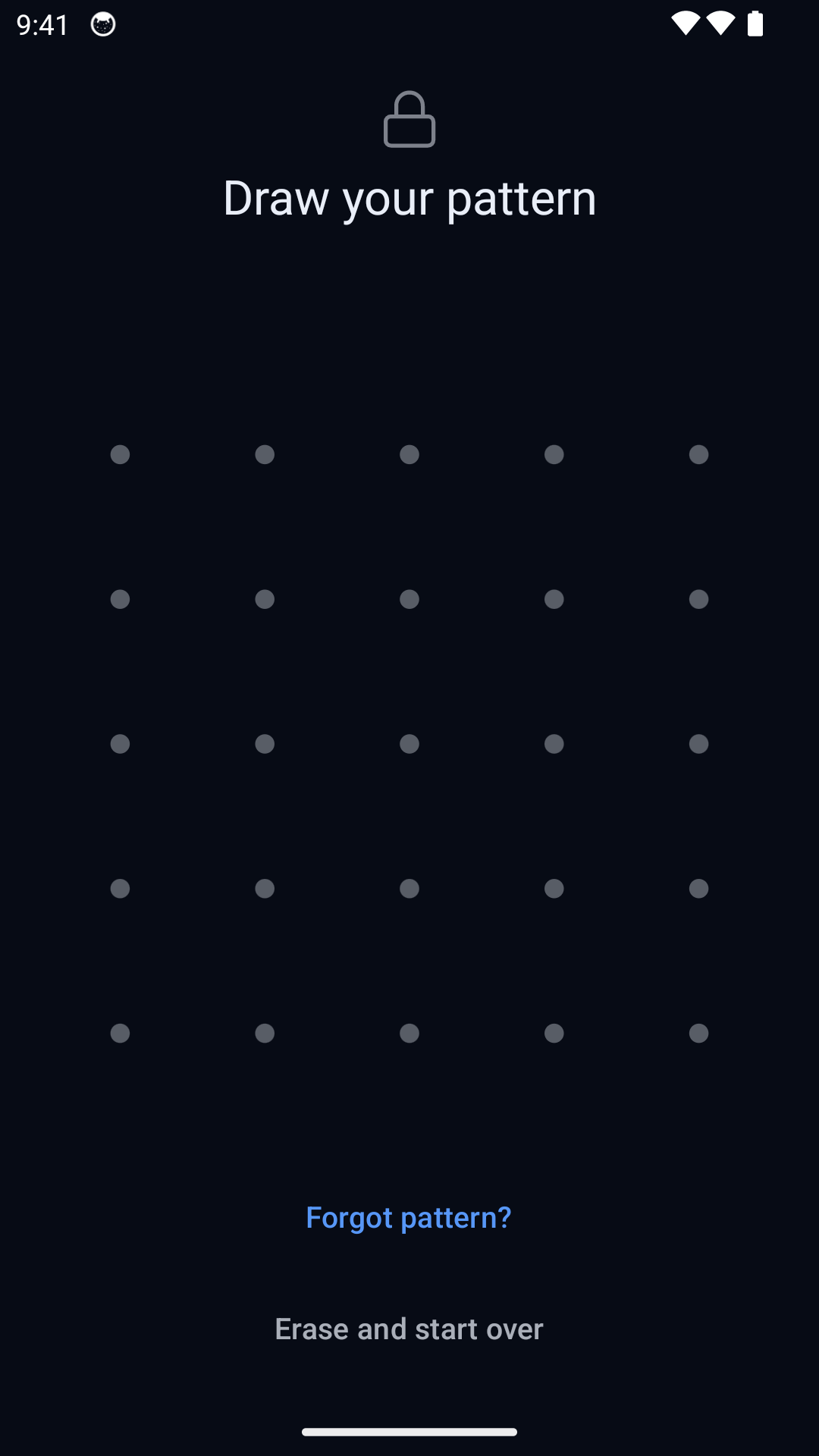
Hidewell combines your pattern with device security hardware and memory-hard Argon2id. This keeps normal pattern guessing tied to the phone. Obscura uses a password and PBKDF2, so choosing a strong password matters. Its biometric shortcut is convenient; Hidewell deliberately keeps patterns as the way to open distinct vaults. [10][8][9][7]
Backup and sync solve different problems
Hidewell offers a separate 12-word recovery phrase and free encrypted backup for restoring your vault. LiveSync keeps supported devices up to date. Obscura offers free password-encrypted exports that you can store elsewhere or move between Android and iPhone. Keep the password: Obscura has no provider reset or separate recovery phrase. [1][3][4][8][9]
Obscura adds document tools
Obscura scans documents, imports PDFs, searches document text and provides expiry reminders. On iPhone and iPad, Safe Copy lets you redact details and add a watermark before sharing. It also offers folder passwords, photo editing and collages. These are useful reasons to choose Obscura if you want more tools around the files in your vault. [3][4]
Lower subscriptions or a lower lifetime price
Hidewell costs $2.99/month, $19.99/year or $44.99 lifetime. Obscura’s US App Store plans cost $6.99/month, $29.99/year or $39.99 lifetime. All amounts are USD. Hidewell costs less by the month or year; Obscura’s lifetime purchase costs $5 less. Both have a free plan. [1][3][12]
Stored-file encryption and integrity
Hidewell Vault. AES-256-GCM checks each piece against its vault, file and position, helping reject substituted or rearranged content.[7]
Obscura Photo Vault. Obscura authenticates video chunks and checks their positions. Its security papers describe cases where a deliberately shortened video can pass its integrity checks. This does not reveal the remaining content.[3][4][8][9][10]
Hardware-bound key derivation
Hidewell Vault. Pattern guesses pass through Android Keystore hardware or Apple Secure Enclave, then Argon2id with at least 64 MiB of memory. Guessing therefore depends on the device and requires memory as well as processing time.[7][1]
Obscura Photo Vault. Vault passwords use PBKDF2-HMAC-SHA256 with 600,000 rounds. Biometric unlock separately protects the saved password through iOS Keychain or Android Keystore. This protects convenient access; it does not bind password derivation to the phone.[3][4][8][9][10]
Multiple or decoy vaults
Hidewell Vault. Different patterns open different vaults. A separate duress pattern opens a decoy and erases other local vault keys. Recover those vaults with your recovery phrase and a usable backup.[1][7]
Obscura Photo Vault. Different passwords open separate vaults. A second vault can serve as a non-destructive decoy. An equivalent destructive duress action is not documented.[3][4][8][9]
Backup
Hidewell Vault. Free encrypted backup uses Google Drive on Android or iCloud Drive on iPhone/iPad. To restore on a new phone, keep your 12-word recovery phrase and a usable backup.[5][7]
Obscura Photo Vault. Free .obscura export creates a password-encrypted backup. iPhone/iPad also support system device backup; Android offers backup to a folder you choose. The iOS export includes documents, and its folder list shows the last backup date.[3][4][8][9]
Sync between devices
Hidewell Vault. LiveSync keeps a vault up to date across iPhone and iPad through iCloud, or across Android devices through Google Drive. It does not sync between iPhone and Android.[1]
Obscura Photo Vault. An encrypted .obscura export can move a vault between Android and iPhone. That is a manual transfer; automatic vault sync is not documented.[3][4][8][9]
Pricing
Hidewell Vault. Free; $2.99/month, $19.99/year or $44.99 lifetime (USD). The monthly and yearly prices are lower than Obscura’s US App Store plans.[1]
Obscura Photo Vault. The US App Store lists Pro Monthly at $6.99, Yearly at $29.99 and lifetime at $39.99 (USD). Lifetime is $5 less than Hidewell. A seven-day yearly trial is advertised; eligibility may vary. Android prices are not publicly listed.[11][12]
Hidewell Vault
Choose Hidewell for device-bound pattern protection, a separate recovery phrase, LiveSync and lower monthly or yearly prices. Keep your recovery phrase and understand the destructive duress action.
Obscura Photo Vault
Choose Obscura for biometric convenience, folder passwords, document tools and a lower US App Store lifetime price. Keep your password and an encrypted backup safely stored.
FAQ
Hidewell Vault vs Obscura Photo Vault: your questions answered.
Is Obscura available for Android?
Yes. Orlio Inc publishes Obscura on Google Play and the App Store. Both Obscura and Hidewell support Android, iPhone and iPad.
Does Obscura back up documents as well as photos?
Yes. On iPhone and iPad, encrypted vault exports include documents and photos, with a shared last-backup date. Android offers encrypted vault export and backup to a chosen folder. Exported vaults can be restored manually; automatic vault sync is not documented.
How much do Hidewell and Obscura cost?
Both have free plans. Hidewell costs $2.99/month, $19.99/year or $44.99 lifetime. Obscura’s US App Store plans cost $6.99/month, $29.99/year or $39.99 lifetime. All prices are USD. Android checkout prices may differ.
Does recovery mean Hidewell can read my files?
No. Hidewell uses the 12-word recovery phrase you keep, together with a usable backup for restoration. It is not a provider-held password reset. Obscura uses password-encrypted backups without a separate recovery phrase.
Sources
- https://hidewell.app/
- https://play.google.com/store/apps/details?id=com.sentrybrain.hidewell&hl=en_US
- https://apps.apple.com/us/app/obscura-encrypted-photo-vault/id6759755376
- https://play.google.com/store/apps/details?id=io.orlio.obscura&hl=en_US&gl=US
- https://hidewell.app/privacy/
- https://obscura-vault.com/privacy
- https://github.com/hidewell-oss/hidewell-core
- https://obscura-vault.com/security
- https://obscura-vault.com/security/android
- https://github.com/orlio-inc/ObscuraCrypto
- https://apps.apple.com/us/app/obscura-photo-vault/id6759755376
- https://obscura-vault.com/
Obscura prices are for the US App Store; Android checkout prices may differ. All amounts are USD. Trial eligibility can vary.
Want device-bound pattern protection? Explore Hidewell before choosing.
Explore HidewellMore comparisons
- Hidewell Vault vs Apple Photos Hidden album
- Hidewell Vault vs iPhone app lock
- Hidewell Vault vs Apple Notes locked notes
- Hidewell Vault vs Private Photo Vault
- Hidewell Vault vs Vaultaire
- Hidewell Vault vs Calculator#
- Hidewell Vault vs Encamera
- Hidewell Vault vs Inner Gallery
- Hidewell Vault vs HiddenVault
- Hidewell Vault vs Google Photos Locked Folder
- Hidewell Vault vs Samsung Secure Folder
- Hidewell Vault vs Keepsafe
- Hidewell Vault vs Privault
- Hidewell Vault vs PV – Secret Photo Album
- Hidewell Vault vs Secret Photo Album - SA
- Hidewell Vault vs Hide it Pro
- Hidewell Vault vs Safe Lock
- Hidewell Vault vs Vaulty
- Hidewell Vault vs SPV
- Hidewell Vault vs Secret Photo Vault