
Hidewell Vault vs Secret Photo Vault
Hidewell puts hardware-bound encryption, separate pattern vaults and recovery keys under your control on iPhone, iPad and Android. Secret Photo Vault Lock Photos by 伟林 莫 combines decoy profiles with document viewing, audio recording and computer transfers. Choose Hidewell for clearly explained protection and an ad-free gallery; choose Secret Photo Vault if its extra file tools fit your routine.
Side by side
Feature comparison
Hidewell Vault 8
 Secret Photo Vault 0
Feature advantages Hidewell Vault
Get the app - Ahead:
- Behind:
- Even:
- Not documented:
| Hidewell Vault |  Secret Photo Vault | |
|---|---|---|
| Platforms | Ahead: iPhone, iPad and Android.[1] | Behind: iPhone and iPad; also Apple-silicon Mac and Apple Vision. [2] |
| Local access and accounts | Even: No Hidewell account; cloud features use your Apple or Google account.[1] | |
| Documented file encryption | Ahead: AES-256-GCM; the encryption design is public.[4] | |
| Protection against pattern or passcode guessing | Ahead: Your phone’s security chip, then Argon2id to slow guessing.[4] | |
| Everyday unlock | Even: Pattern only, run through your phone's security chip. No biometric shortcut, by design[4] | Even: Pattern, password, Touch ID or Face ID. [2] |
| Separate private spaces | Even: Different patterns open separate vaults; optional duress pattern.[4] | Even: Separate user profiles and a decoy password. [2] |
| Cloud backup protection | Not documented: iCloud backup advertised; encryption and recovery-key design not documented. [2] | |
| Automatic vault updates across devices | Not documented: iCloud Photo advertised; automatic vault sync not documented. [2] | |
| Analytics and tracking | Ahead: No analytics or ad tracking.[1] | |
| Ad-free use | Ahead: No ads, including on the free plan.[1] | Behind: Privacy policy names AdMob as its advertising provider. [3] |
| In-app camera | Even: Camera import and continuous shooting. [2] | |
| Source code | Ahead: Open-source encryption core.[4] | |
| Pricing choices | Even: Free; Pro $2.99/month, $19.99/year or $44.99 lifetime (USD).[1] | Even: Free; “Pro Version” $6.99 (USD), billing period unlabeled. [2] |
Based on each app's official information.
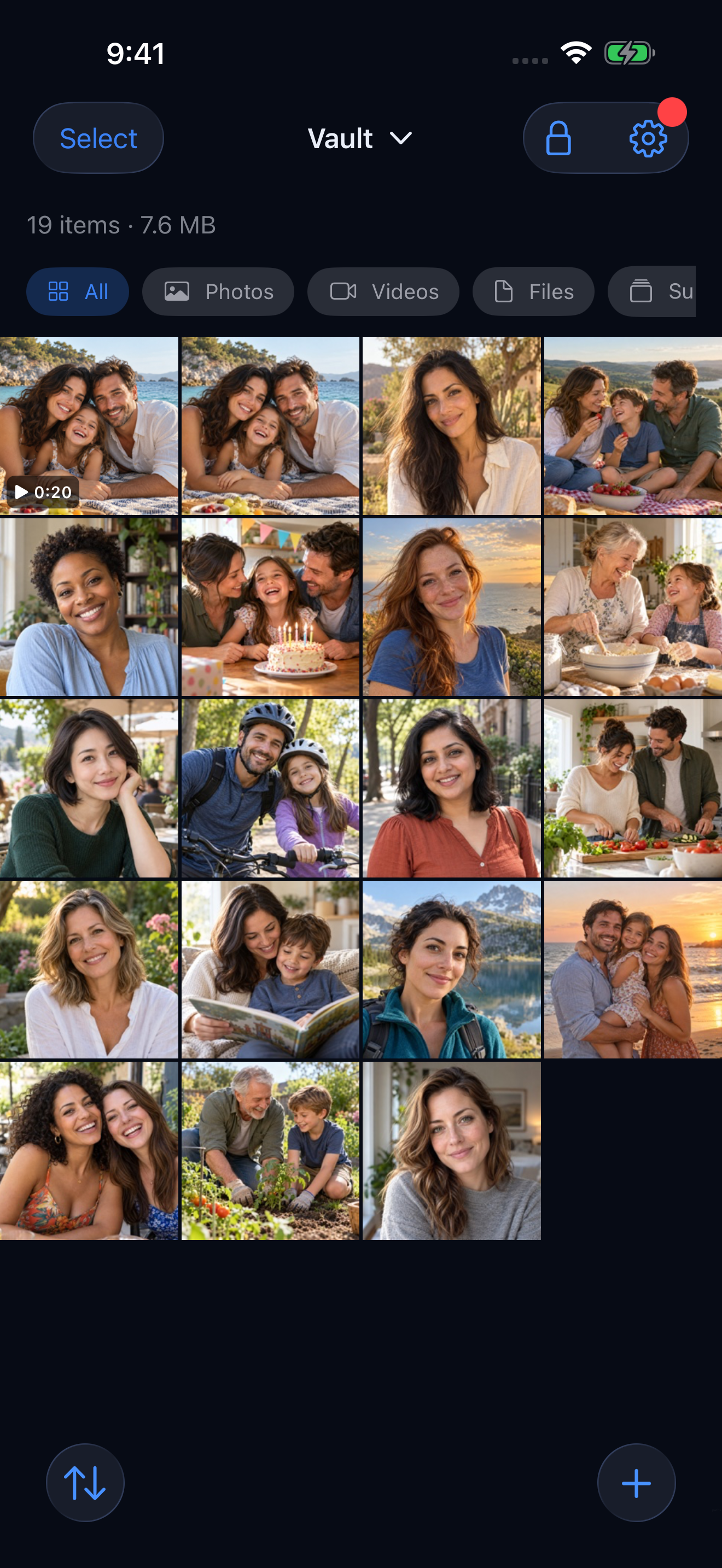
Key differences
What sets them apart.
Know what protects your files
Hidewell uses AES-256-GCM to encrypt files and detect tampering. Each pattern attempt runs through your phone’s security chip, then Argon2id makes guessing cost time and memory. Secret Photo Vault describes its locks without naming the encryption or key-derivation algorithms. Hidewell gives you a documented design and an open-source encryption core you can inspect. [4][2][3]
Separate spaces, different access choices
Different Hidewell patterns open different vaults, without listing your other vaults on the unlock screen. Secret Photo Vault offers local user profiles and a decoy password that opens a separate database, plus Face ID and Touch ID for convenience. Hidewell deliberately keeps everyday access pattern-only. Its optional duress pattern opens a decoy and destroys access to the other local vaults; ordinary vault patterns do not. Existing cloud backups remain recoverable with your recovery phrase. [4][2]
A backup with keys you control
Hidewell encrypts backups before uploading them to your own iCloud or Google Drive. Your 12-word recovery phrase is needed to restore them; a cloud login alone cannot decrypt the backup. Secret Photo Vault advertises iCloud backup, but does not explain its backup encryption or recovery keys. Hidewell’s LiveSync keeps a vault up to date across iPhone and iPad, or across Android devices. It does not sync between iPhone and Android. [4][2][1]
File tools or an ad-free private gallery
Secret Photo Vault adds document viewing, text notes, audio recording, a browser and Wi-Fi or USB transfers with a computer. Those tools may suit a mixed collection of files. Hidewell brings encrypted files, albums and a photo and video camera together without ads or analytics, even on the free plan. Secret Photo Vault’s store label says “Data Not Collected”, while its privacy policy names AdMob as an advertising provider. That label alone does not settle what the advertising service collects. [2][3][1]
Pricing choices
Hidewell Vault. The free plan includes one vault, up to 200 items, and encrypted backup and restore. Paid choices are $2.99/month, $19.99/year or $44.99 lifetime. All amounts are USD. Cloud storage uses your own iCloud or Google Drive allowance and is not included.[1]
Secret Photo Vault. The US listing offers a free download and one purchase named “Pro Version” for $6.99 (USD). It does not identify a billing period or explain the upgrade’s eligibility and limits. Check those terms on the purchase screen before comparing it with a monthly, yearly or lifetime plan.[2]
Hidewell Vault
Choose Hidewell for documented hardware-bound encryption, separate pattern vaults, phrase-controlled backup and an ad-free gallery across iPhone, iPad and Android.
Secret Photo Vault
Choose Secret Photo Vault if you want decoy user profiles, biometric access, document viewing, audio recording and Wi-Fi or USB transfers in one iPhone or iPad app.
FAQ
Hidewell Vault vs Secret Photo Vault: your questions answered.
Which Secret Photo Vault app does this comparison cover?
Secret Photo Vault Lock Photos by 伟林 莫, App Store ID 448033053. It is a different product from SPV by Maple Labs and other apps with similar names.
Does Secret Photo Vault support cloud backup?
Its official screenshots advertise Cloud Backup and iCloud, including an iCloud Photo setting. They do not explain backup encryption or recovery keys. Hidewell encrypts backups before upload and requires your 12-word recovery phrase to restore them.
Why does Hidewell use patterns instead of Face ID or Touch ID?
A different pattern can open a different vault without showing a list of your other vaults. That is a deliberate access design. Secret Photo Vault offers pattern and password access as well as Face ID and Touch ID.
How do the prices compare?
Hidewell is free, with paid options at $2.99/month, $19.99/year or $44.99 lifetime. Secret Photo Vault is free to download and lists “Pro Version” at $6.99, without identifying its billing period. All prices are USD. Check the upgrade terms before comparing total costs.
Sources
- https://hidewell.app/
- https://apps.apple.com/us/app/secret-photo-vault-lock-photos/id448033053
- https://note.youdao.com/noteshare?id=47a7ed2e3429457e6bab729f08d2ed3c
- https://github.com/hidewell-oss/hidewell-core
- https://apps.apple.com/us/app/hidewell-private-photo-vault/id6824920124
- https://play.google.com/store/apps/details?id=com.sentrybrain.hidewell&hl=en_US
Updated 3 November 2026. Store prices are from the US listing. All prices are USD.
Start with Hidewell’s free vault and keep your private files under your control.
Explore HidewellMore comparisons
- Hidewell Vault vs Apple Photos Hidden album
- Hidewell Vault vs iPhone app lock
- Hidewell Vault vs Apple Notes locked notes
- Hidewell Vault vs Private Photo Vault
- Hidewell Vault vs Vaultaire
- Hidewell Vault vs Calculator#
- Hidewell Vault vs Encamera
- Hidewell Vault vs Obscura Photo Vault
- Hidewell Vault vs Inner Gallery
- Hidewell Vault vs HiddenVault
- Hidewell Vault vs Google Photos Locked Folder
- Hidewell Vault vs Samsung Secure Folder
- Hidewell Vault vs Keepsafe
- Hidewell Vault vs Privault
- Hidewell Vault vs PV – Secret Photo Album
- Hidewell Vault vs Secret Photo Album - SA
- Hidewell Vault vs Hide it Pro
- Hidewell Vault vs Safe Lock
- Hidewell Vault vs Vaulty
- Hidewell Vault vs SPV