
Hidewell Vault vs PV – Secret Photo Album
Hidewell puts your phone’s security chip behind each vault pattern, with an open-source encryption core and no ads or tracking. PV offers unlimited free local storage, photo editing and convenient transfers between phones and computers. Both work on iPhone, iPad and Android; Hidewell costs less monthly, while PV’s listed annual and permanent memberships cost less.
Side by side
Feature comparison
Hidewell Vault 7
 PV – Secret Photo Album 0
Feature advantages Hidewell Vault
Get the app - Ahead:
- Behind:
- Even:
- Not documented:
| Hidewell Vault |  PV – Secret Photo Album | |
|---|---|---|
| Platforms | Even: iPhone, iPad and Android.[1] | |
| Account required | Ahead: No Hidewell account; cloud features use your Apple or Google account.[1] | |
| Encryption transparency | Ahead: AES-256-GCM; the encryption design is public.[5] | |
| Protection against pattern or passcode guessing | Ahead: Your phone’s security chip, then Argon2id to slow guessing.[5] | |
| Everyday unlock | Even: Pattern only, run through your phone's security chip. No biometric shortcut, by design[5] | |
| Separate everyday spaces | Even: Different patterns open separate vaults; optional duress pattern.[5] | |
| Backup encryption and recovery | ||
| Sync between devices | ||
| Tracking and analytics | Ahead: No analytics or ad tracking.[1] | |
| Ads | Ahead: No ads, including on the free plan.[1] | |
| In-app camera | ||
| Source code | Ahead: Open-source encryption core.[5] | |
| Free and paid options | Even: Free; Pro $2.99/month, $19.99/year or $44.99 lifetime (USD).[1] | Even: Free; PV Pro $3.99/month, $17.99/year; permanent membership $41.99 (USD, US iOS). [2] |
Based on each app's official information.
Key differences
What sets them apart.
A pattern protects more than the lock screen
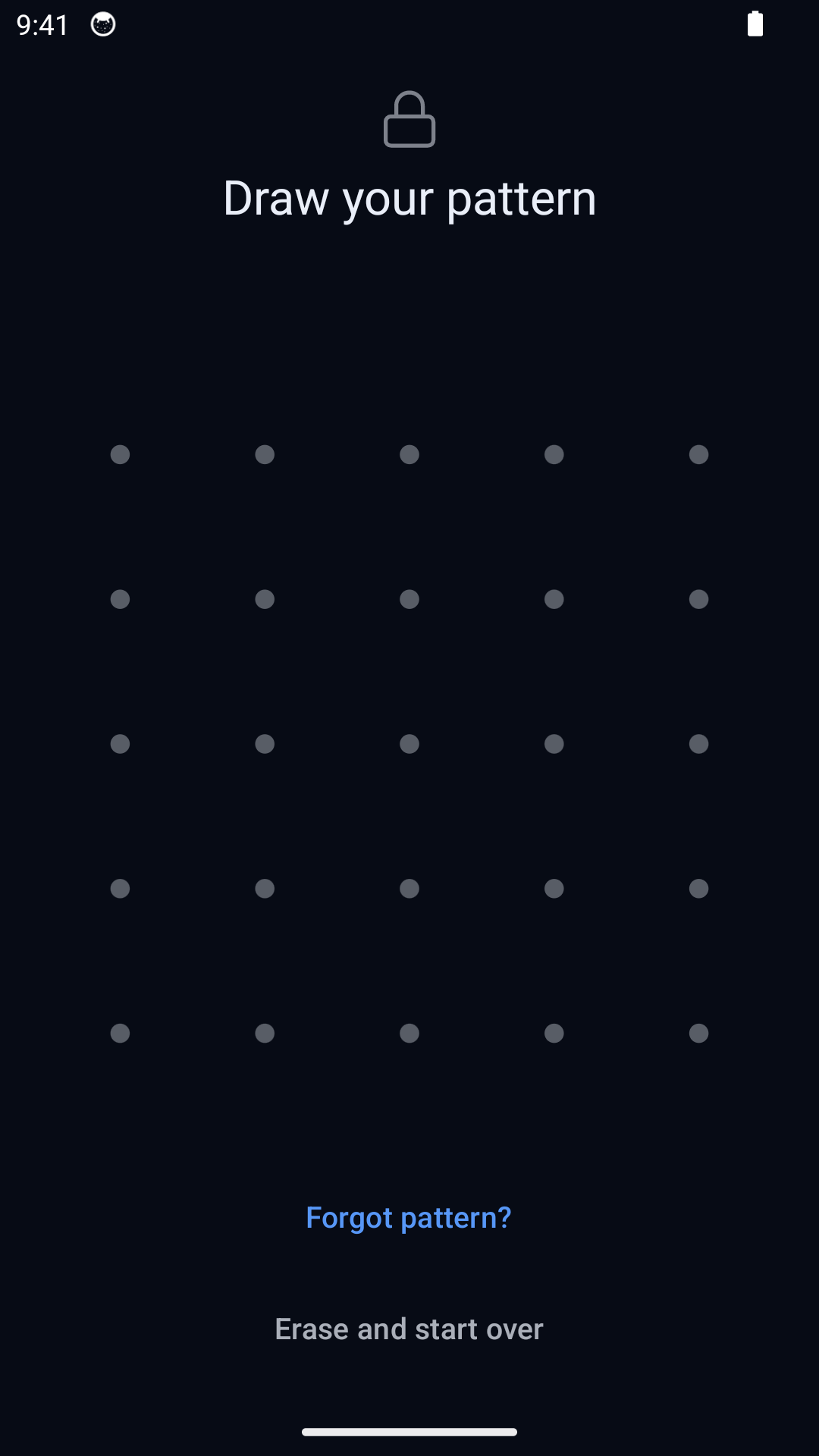
Hidewell runs each pattern through your phone’s security chip and Argon2id, which makes each guess consume time and memory. The protection is tied to your device, not just a screen asking for a code. Its public core shows how AES-256-GCM encrypts files and detects tampering. PV names AES on Android and encryption on iOS, but does not explain the cipher mode, tamper protection or passcode-to-key method. Hidewell gives you a clear, inspectable security design. [5][3][2]
Open one vault without displaying the others
Different Hidewell patterns open different vaults. The normal unlock screen shows no vault list or count, and each vault opens with its own pattern. PV’s fake password opens a separate album space, while its calculator disguise and Face ID or Touch ID options may suit you if convenience matters most. Hidewell’s optional duress pattern is a separate, destructive action: it opens a decoy and destroys access to other local vaults. An ordinary vault pattern leaves them intact. [5][2][4]
Keep recovery in your hands
Hidewell encrypts backups on your device before uploading to your iCloud Drive or Google Drive. Your separate 12-word recovery phrase lets you restore them; access to the cloud account alone cannot decrypt them. Keep the phrase safe and check your backup before replacing your phone or using a duress pattern. PV offers recovery by email for a forgotten passcode and account-based recovery for its cloud backup. That is convenient, but its backup encryption and control of recovery keys are not documented. [5][6][4][3]
Private storage without an advertising business
Hidewell has no ads, ad tracking or analytics, even when you use it free. PV’s free version includes ads. Its iOS privacy label lists tracking across other companies’ apps and websites, and its privacy policy describes analytics on Android and iOS. PV’s paid ad removal changes what you see; it does not promise to remove every data practice described by the developer. [1][2][8]
Choose the tools you will use every day
Hidewell’s camera saves photos and videos straight into your encrypted vault on iPhone, iPad and Android. Its free plan includes one vault, up to 200 items, and encrypted backup and restore. PV advertises unlimited free local storage, limited by the space on your device, plus a photo editor, tags, notes and search. Its Android camera also takes photos and videos inside the app. If a large free photo collection and editing tools are your priority, PV has practical strengths. [1][2][3][4]
Sync between devices
Hidewell Vault. LiveSync keeps a vault up to date across your iPhone and iPad through iCloud, or across Android devices through Google Drive. It does not sync between iPhone and Android. Your files stay encrypted, and the storage comes from your own cloud account.[6][7]
PV – Secret Photo Album. PV offers Cloud Sync with Super membership. Its Nearby Drop feature transfers files between phones, including iPhone and Android, and Wi-Fi transfer moves files through a computer. It also supports transfers to Dropbox, Google Drive, Box and OneDrive. A one-time transfer and an automatically updated vault serve different needs.[2][3]
Free and paid options
Hidewell Vault. The monthly option is $1.00 less than PV’s listed monthly membership. PV’s annual price is $2.00 less, and its permanent membership is $3.00 less than Hidewell’s lifetime option. All amounts are USD.[1]
PV – Secret Photo Album. The US iOS list also includes Super Member at $29.99/year for 20 GB or $79.99/year for 100 GB, and Auto Cloud Backup at $12.99/year for 20 GB or $49.99/year for 100 GB (USD). These are different cloud products, not lower-priced versions of the same membership. Check which features the selected purchase includes; Android prices may differ.[2]
Hidewell Vault
Choose Hidewell for device-bound patterns, separate vaults, recovery controlled by your phrase and an open-source encryption core. You can start free with no ads or tracking, and pay less month to month.
PV – Secret Photo Album
Choose PV if unlimited free local storage, photo editing, a calculator disguise and flexible file transfers matter most. Its annual and permanent memberships are cheaper at the listed US iOS prices; account for separate cloud plans and the developer’s data disclosures.
FAQ
Hidewell Vault vs PV – Secret Photo Album: your questions answered.
Which PV app is compared here?
PV – Secret Photo Album on iPhone and iPad and PV – Calculator Photo Vault on Android, both by Haibin Jiao. This is a different product from Privault or other apps named Secret Photo Album.
Does PV encrypt photos and videos?
Yes. PV’s Android description names AES encryption, while its iOS description says it encrypts data without naming the cipher. Neither explains the encryption mode or how the passcode becomes a key. Hidewell publishes its AES-256-GCM design and uses your phone’s security chip plus Argon2id to slow pattern guessing.
Is Hidewell cheaper than PV?
Monthly, yes: $2.99 versus $3.99. PV is cheaper annually at $17.99 versus $19.99, and its $41.99 permanent membership costs less than Hidewell’s $44.99 lifetime option. Prices are USD; PV amounts refer to the US iOS listing. Both have free options, and PV lists separate cloud subscriptions.
Can I move files between iPhone and Android?
PV advertises Nearby Drop transfers between iOS and Android. Hidewell’s LiveSync keeps Apple devices up to date through iCloud and Android devices through Google Drive; it does not sync across those two ecosystems. Choose based on whether you need occasional file transfers or an encrypted vault kept up to date within one ecosystem.
Sources
- https://hidewell.app/
- https://apps.apple.com/us/app/pv-secret-photo-album/id867586326
- https://play.google.com/store/apps/details?hl=en_US&id=cn.photovault.pv
- https://www.photovault.cn/pv/faq_en.html
- https://github.com/hidewell-oss/hidewell-core
- https://apps.apple.com/us/app/hidewell-private-photo-vault/id6824920124
- https://play.google.com/store/apps/details?id=com.sentrybrain.hidewell&hl=en_US
- https://www.photovault.cn/pv/privacy.html
- https://photovault.cn/
Updated 28 October 2026. PV prices are from the US App Store. All prices are USD.
Start with Hidewell’s free vault and keep your private files under your control.
Explore HidewellMore comparisons
- Hidewell Vault vs Apple Photos Hidden album
- Hidewell Vault vs iPhone app lock
- Hidewell Vault vs Apple Notes locked notes
- Hidewell Vault vs Private Photo Vault
- Hidewell Vault vs Vaultaire
- Hidewell Vault vs Calculator#
- Hidewell Vault vs Encamera
- Hidewell Vault vs Obscura Photo Vault
- Hidewell Vault vs Inner Gallery
- Hidewell Vault vs HiddenVault
- Hidewell Vault vs Google Photos Locked Folder
- Hidewell Vault vs Samsung Secure Folder
- Hidewell Vault vs Keepsafe
- Hidewell Vault vs Privault
- Hidewell Vault vs Secret Photo Album - SA
- Hidewell Vault vs Hide it Pro
- Hidewell Vault vs Safe Lock
- Hidewell Vault vs Vaulty
- Hidewell Vault vs SPV
- Hidewell Vault vs Secret Photo Vault