
Hidewell Vault vs Privault
Hidewell protects private files with device-bound patterns on Android, iPhone and iPad, without ads or tracking. Its paid plan costs less than Privault’s equivalent monthly, yearly and permanent options. Privault combines separate passcodes with a voice recorder, a broad-format media player and WiFi file transfers.
Privault details as of October 27, 2026, from public pages and store listings by Binspir Technologies Co., Ltd. (sources below).
Side by side
Feature comparison
Hidewell Vault 11
 Privault 0
Feature tally Hidewell Vault
Get the app - Ahead:
- Behind:
- Even:
- Not disclosed:
| Hidewell Vault |  Privault | |
|---|---|---|
| Platforms | Ahead: Android, iPhone and iPad.[1] | Behind: iPhone and iPad. [2] |
| Account required | Ahead: No Hidewell account; cloud backup uses your platform account.[3] | |
| Documented encryption design | Ahead: AES-256-GCM; inspectable encryption core.[6] | |
| How the unlock secret becomes a key | Ahead: Device security hardware, then Argon2id (at least 64 MiB).[6] | |
| Everyday unlock | Even: Pattern only, run through your phone's security chip. No biometric shortcut, by design[6] | Even: Digit passcode on a keypad. [2] |
| Separate vaults and decoys | Even: A different pattern for each vault; an optional duress pattern opens a decoy.[6] | Even: Primary and secondary spaces; separate erase-all passcode. [2] |
| Backup encryption and recovery | Ahead: Encrypted on your device; restored with your recovery phrase.[3] | Not disclosed: System migration and WiFi export documented; backup key control unspecified. [4] |
| Sync between devices | ||
| Tracking and analytics | Ahead: No analytics or ad tracking.[3] | |
| Ads | Ahead: No ads.[3] | |
| In-app camera | Ahead: Photo and video camera; free-plan item limit.[7] | Not disclosed: Voice recorder included; in-vault photo/video capture not specified. [2] |
| Source code | Ahead: Public encryption core.[6] | |
| Equivalent Pro prices | Ahead: Free; Pro $2.99/month, $19.99/year or $44.99 lifetime (USD).[1] | Behind: Free download; Pro $3.49/month, $24.99/year or $45.99 permanent (USD). [2] |
Based on each app's official information.
Key differences
What sets them apart.
A pattern opens just the vault you choose
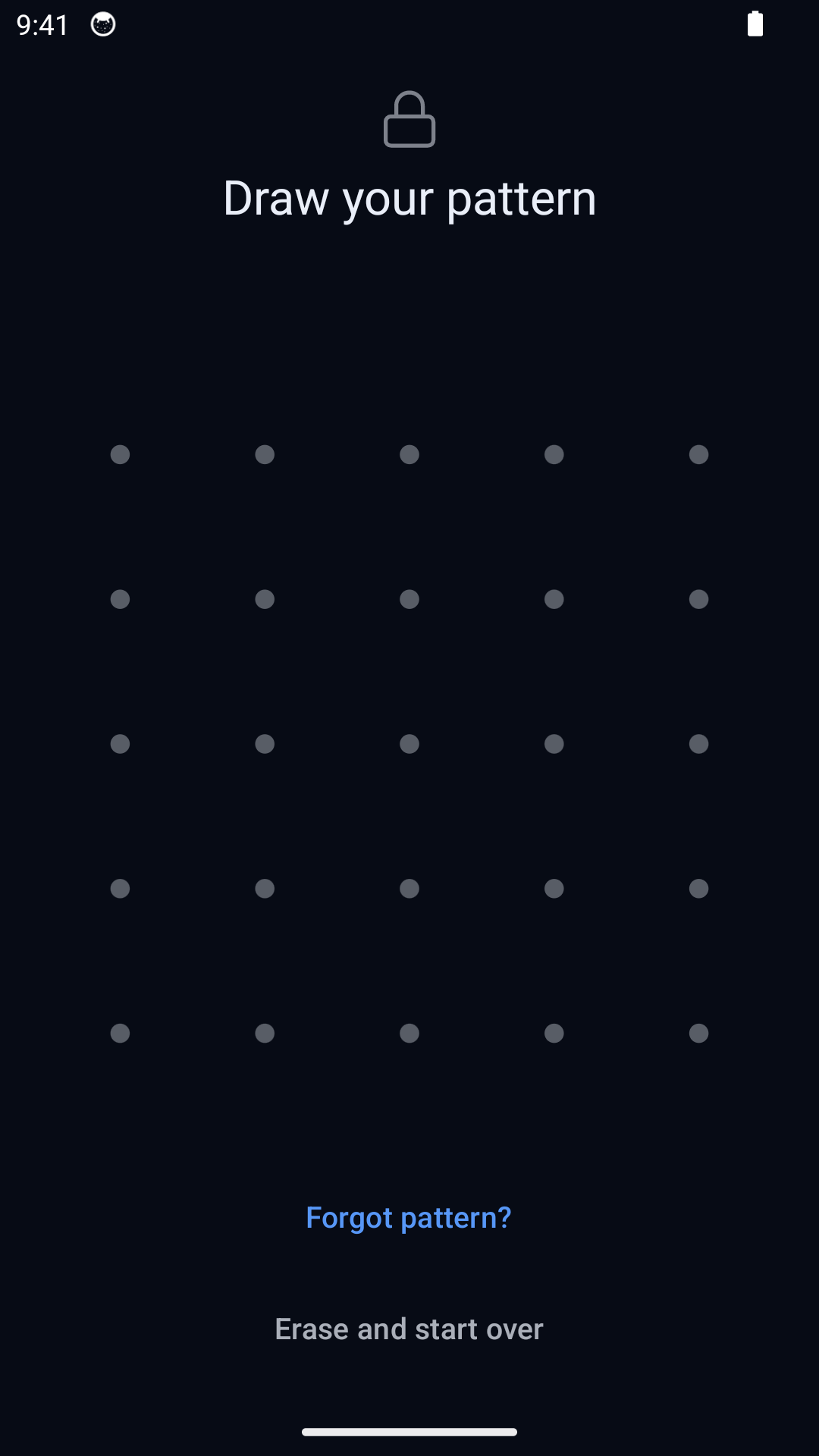
In Hidewell, different patterns open separate vaults. The normal unlock screen shows no vault list or count, so opening one does not display the others. Pattern-only access is deliberate: there is no Face ID or fingerprint shortcut. Privault uses a numeric keypad with primary and secondary passcodes, useful if you prefer typing a code and keeping two spaces. [1][6][2]
Separate everyday access from an emergency action
An ordinary Hidewell pattern leaves your other vaults intact. The optional duress pattern opens a decoy and destroys access to the other local vaults on that device; recovery then needs your recovery phrase and a usable backup. Privault also separates everyday access from a destructive action: its secondary code opens another space, while its erase-all code deletes secret files. Neither emergency code should be confused with a normal second vault. [1][6][2]
Keep control of backup recovery
Hidewell encrypts backups on your device before storing them in your Google Drive or iCloud Drive. Your separate 12-word recovery phrase controls recovery, so the cloud account alone cannot decrypt the backup. Keep those words safely and verify your backup before changing phones. Privault documents system migration and manual WiFi export, plus passcode reset through a verified email. That can help if you forget a code, but its backup encryption and recovery-key design are not explained. [3][6][4]
Decide which daily tools matter to you
Hidewell includes a photo and video camera that saves straight into the vault, with no ads or analytics on either plan. Privault adds voice recording and a player that supports many media formats, plus WiFi import and export for moving files through a computer. Its App Store privacy label discloses usage tracking and advertising data, and its policy names AdMob and Umeng. Buying ad removal is separate from the data practices disclosed by the developer. [8][7][3][2][5]
How the unlock secret becomes a key
Hidewell Vault. Hidewell’s published core uses AES-256-GCM authenticated encryption. Your pattern passes through Android hardware-backed Keystore or Apple Secure Enclave, then Argon2id with at least 64 MiB of memory. This binds normal pattern unlock to your device and adds memory cost to each guess.[6]
Privault. Privault says its storage is encrypted, but does not name the cipher, authentication scheme or passcode-to-key method.[2][4]
Sync between devices
Hidewell Vault. LiveSync keeps a vault up to date across your devices: Android devices through the same Google Drive account, iPhone and iPad through the same iCloud account.[7][8]
Privault. Privault’s WiFi server moves files between the app and a computer. Its FAQ describes using those exports to migrate to another device; it does not describe an automatic sync service.[2][4]
Equivalent Pro prices
Hidewell Vault. Start free with one vault and up to 200 items, including the camera and encrypted backup. Pro costs $2.99/month, $19.99/year or $44.99 lifetime (USD).[1]
Privault. Privault lists Pro at $3.49/month, $24.99/year and $45.99 permanent (USD). Hidewell is lower by $0.50/month, $5/year or $1 for lifetime ownership. Privault also lists a separate $2.99 Remove ADs purchase; it is not a Pro subscription. Its store page does not fully itemize the free and Pro feature limits.[2]
Hidewell Vault
Choose Hidewell for hardware-bound patterns, an inspectable encryption core and backups controlled by your recovery phrase. It covers Android, iPhone and iPad, starts free without ads, and costs less for every equivalent billing option.
Privault
Choose Privault if you want a numeric keypad, primary and secondary spaces, voice recording and a broad-format player on iPhone or iPad. Its store also lists compatibility with Apple silicon Macs and Apple Vision. Consider the disclosed data practices and check the features included in your purchase.
FAQ
Hidewell Vault vs Privault: your questions answered.
Which Privault app is compared here?
Privault – Private Photo Vault by Binspir Technologies Co., Ltd., App Store ID 1186436980. Its listing supports iPhone and iPad. Hidewell also supports Android.
Does Privault encrypt its files?
Its App Store description says it uses encrypted storage. Its official material does not identify the cipher or key-derivation method. Hidewell publishes its AES-256-GCM core and explains the device-bound hardware and Argon2id path used for pattern unlock.
Is Hidewell cheaper than Privault?
For the listed paid options, yes: $2.99 versus $3.49 per month, $19.99 versus $24.99 per year, and $44.99 lifetime versus $45.99 permanent (USD). Both have a free option. Privault’s separate $2.99 Remove ADs purchase is not one of its Pro plans.
Does a second pattern or passcode delete other files?
An ordinary Hidewell vault pattern does not. Only the separately configured duress pattern destroys access to other local vaults while opening a decoy. Privault likewise documents separate primary and secondary passcodes, with an additional erase-all passcode for deletion. Keep these destructive actions distinct from everyday access.
Sources
- https://hidewell.app/
- https://apps.apple.com/us/app/privault-private-photo-vault/id1186436980
- https://hidewell.app/privacy/
- https://binspir.github.io/prvt/faq.html
- https://binspir.github.io/prvt/pp.html
- https://github.com/hidewell-oss/hidewell-core
- https://play.google.com/store/apps/details?id=com.sentrybrain.hidewell&hl=en_US
- https://apps.apple.com/us/app/hidewell-private-photo-vault/id6824920124
- https://binspir.github.io/prvt/ack.html
Updated 27 October 2026. Privault 10.2, US App Store. All prices are USD.
Explore Hidewell’s pattern protection and free plan.
Explore HidewellMore comparisons
- Hidewell Vault vs Apple Photos Hidden album
- Hidewell Vault vs iPhone app lock
- Hidewell Vault vs Apple Notes locked notes
- Hidewell Vault vs Private Photo Vault
- Hidewell Vault vs Vaultaire
- Hidewell Vault vs Calculator#
- Hidewell Vault vs Encamera
- Hidewell Vault vs Obscura Photo Vault
- Hidewell Vault vs Inner Gallery
- Hidewell Vault vs HiddenVault
- Hidewell Vault vs Google Photos Locked Folder
- Hidewell Vault vs Samsung Secure Folder
- Hidewell Vault vs Keepsafe
- Hidewell Vault vs PV – Secret Photo Album
- Hidewell Vault vs Secret Photo Album - SA
- Hidewell Vault vs Hide it Pro
- Hidewell Vault vs Safe Lock
- Hidewell Vault vs Vaulty
- Hidewell Vault vs SPV
- Hidewell Vault vs Secret Photo Vault